Choose your own coupons: You decide which code to use
Some browser extensions automatically test coupon codes at checkout. This might sound convenient, but you often don't see which code is being used or what is happening in the background. The daily-cashback.info extension takes a different approach: You see the codes and decide for yourself.
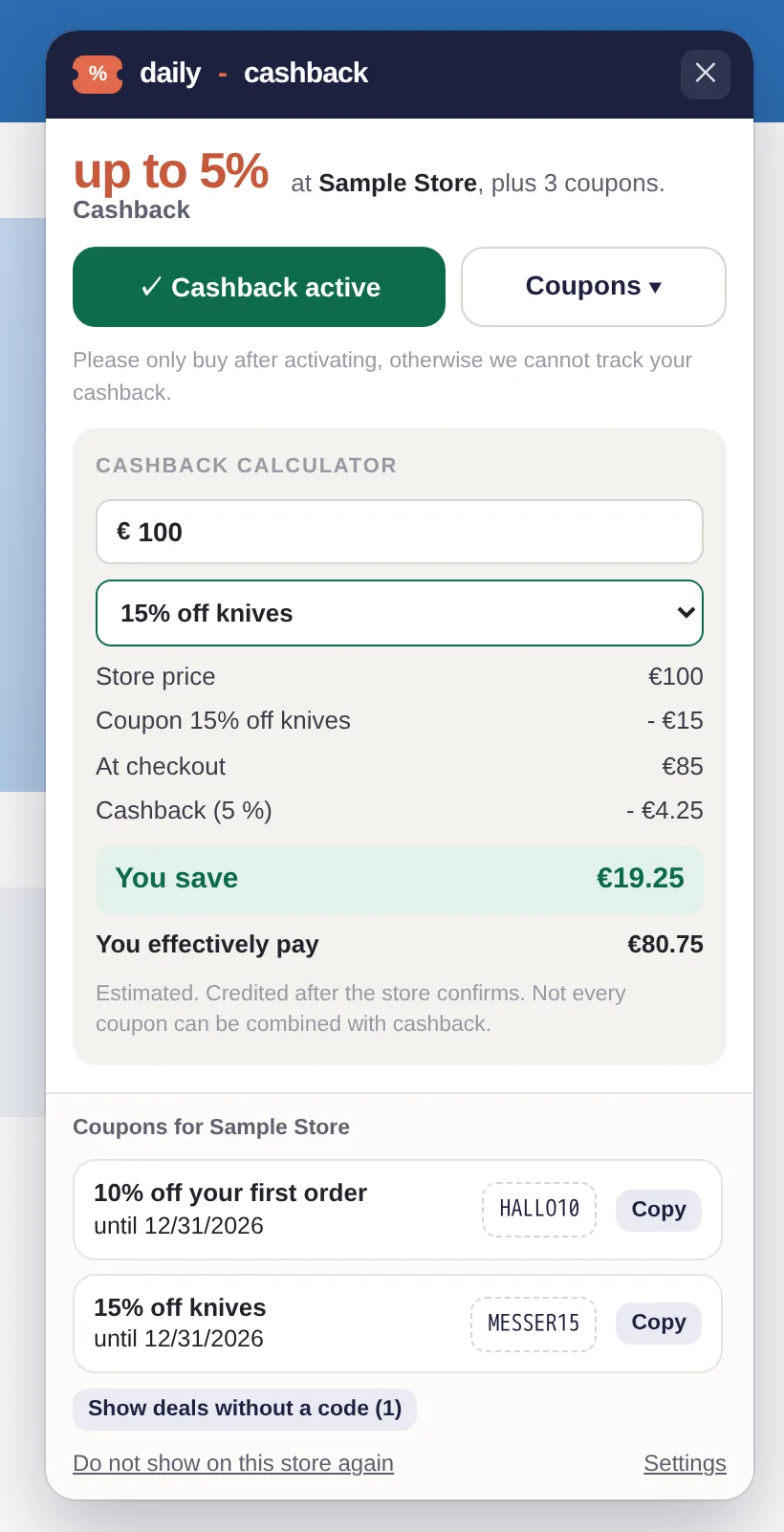
Example with a made-up store: after you activate cashback, the extension shows the codes. You choose one and copy it yourself.
How it works
When you open a partner shop, the extension's card shows you how many coupons are available. Click "Coupons" to expand the list, which shows the value and what the code applies to. Next to each code, you'll see "Show code". Clicking this copies the code and activates cashback simultaneously, as that is your own click. This ensures you don't accidentally buy with a code but without cashback. You then paste the copied code at the shop's checkout yourself.
- No automatic entry at checkout.
- You always know which code is being used.
- You only see offers without a code if you explicitly expand them.
The calculator helps you choose
Below the coupons, you will find the cashback calculator. It starts at €100 and automatically includes the best coupon we know in the calculation. For example: €100 purchase, 15% coupon, €85 at checkout, minus 5% cashback, which is €4.25. You effectively pay €80.75. You can adjust the amount and coupon to see immediately which combination is worth it. You still have to try the code yourself, as the shop decides whether a coupon is valid.
Only codes that fit you
Many shops have codes for specific countries. To avoid finding out at checkout that a code doesn't apply to you, we hide coupons intended for other countries. You can set the applicable country in the extension's settings.
In short
We show you where you can save. You decide which code to use. You can find out what else the extension does (and doesn't do) on our browser extension page.
This article is part of our series on transparency and control within the browser extension. You can find the overview of all principles at No automatic cashback: You decide with a click.