No automatic cashback: You decide with a click
A cashback extension shouldn't do anything in the background that you don't want. That's why cashback never starts automatically at daily-cashback.info. Only when you consciously click "Activate cashback" does the shop open via our partner link. Here are all the principles at a glance, with an article for further reading for each.
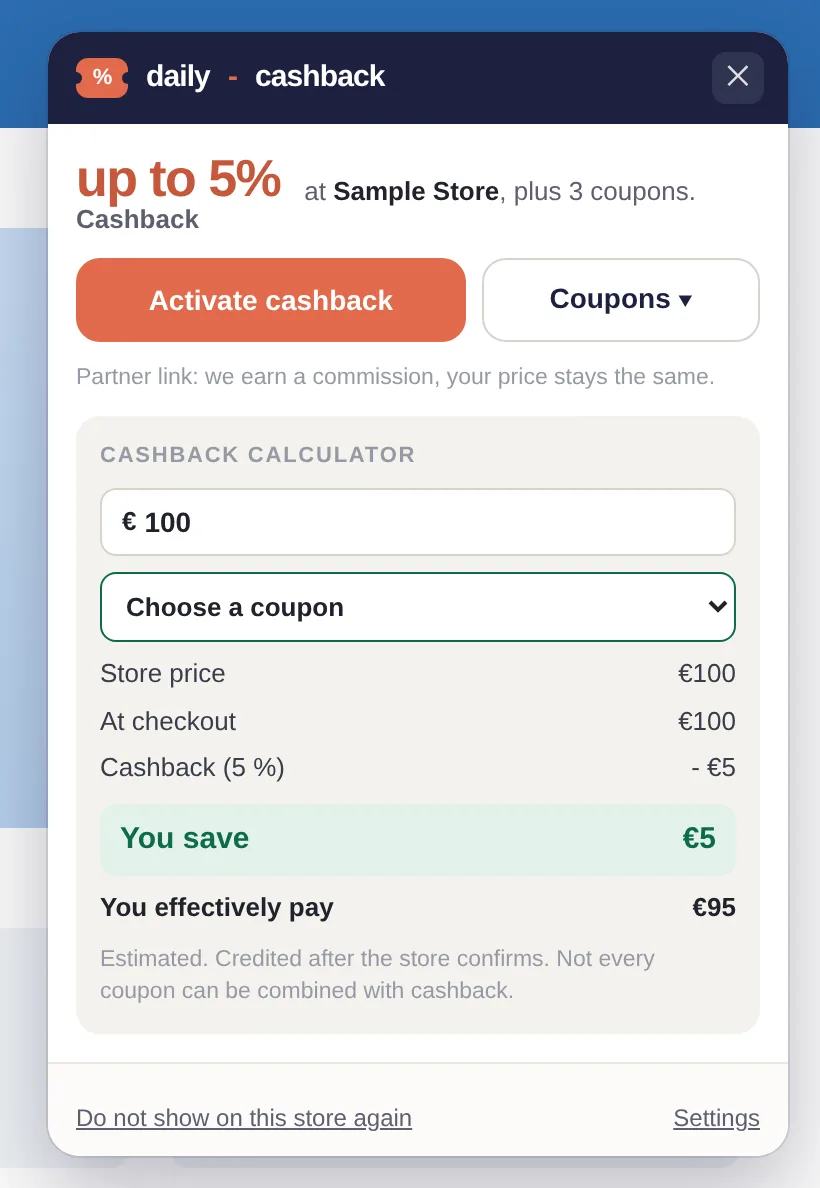
Example with a made-up store: the card shows the cashback. It only starts when you click the button.
1. No automatic activation
The extension shows you that cashback is available. You do the activating yourself. No partner link is called and no cookie is set beforehand. This is also required by Awin in its Code of Conduct and by Google in the Chrome Web Store policies.
2. Restraint with other partners
If you arrived via the link of another cashback or coupon site, the extension takes a 90-minute break for this shop. Learn more in Why does the cashback extension sometimes not show an offer?
3. No reading of cart and history
The extension checks if you are in a partner shop on your device. What still goes to us and when is explained in Cashback without reading your shopping cart.
4. Transparently labeled partner links
Below the activate button, it states that it is a partner link and your price remains the same. More in Cashback with transparently labeled partner links.
5. You choose coupons yourself
The extension does not test codes at checkout. You see them and decide for yourself, see Choose coupons yourself.
6. You determine the settings
Hide shops, choose country and language, turn off the map: Your browser extension, your settings.
And the others?
How Honey, TopCashback, and Rakuten handle these points is something we have compiled solely from their own help and privacy pages: Cashback extensions in comparison. Everything about our extension is on the browser extension page.